
Sticky Notes
iPhoneiPadApple Watch
A notepad app you can use just like sticky notes. Check your notes from the Home Screen anytime.
iPhone


iPad


Apple Watch


Everything about Sticky Notes
A notepad app you can use just like sticky notes.
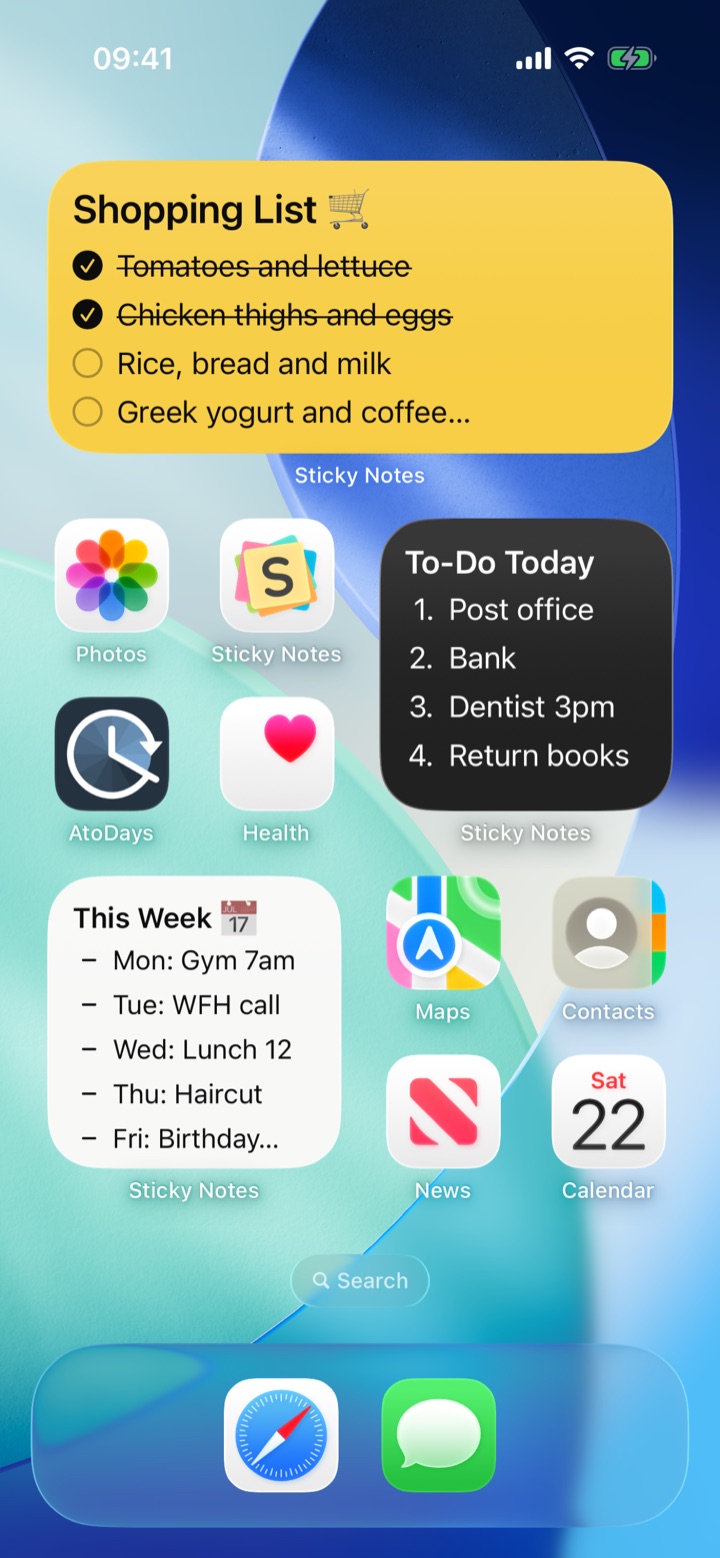
Pin your notes to the Home Screen so you can see them anytime and edit with a single tap.
Pin it to your Home Screen
- Pin notes to your home screen or lock screen for instant viewing and quick access
- Show a note on the Lock Screen without placing a widget
- Manage shopping and packing lists with checklists — tick items right from the widget
- Create separate notes for work and study to manage your to-do lists
- Customise the background with colours or photos for a personal touch
- Choose cute fonts and adjust the text size to suit your style
- Note widget
- Note list widget
- Lock screen widget
- Apple Watch widget
Organize with lists and headings
Keep shopping lists, to-do lists and packing lists as checklists.
Checked items get a strikethrough, so you can see what's left at a glance.
- Checklists — tap to tick off, right from your home screen widget
- Bullet and dash lists — line up tasks and things to buy
- Numbered lists — for steps, recipes, anything where order matters
- Headings — use Title, Heading and Subheading to break up longer notes
- Everything looks the same on iPhone, iPad, widgets and Apple Watch
Make it yours
- Backgrounds (solid colours, notebook (grid, lined), photos, patterns)
- Font selection (handwriting and cute styles available)
- Adjust text size, line spacing and letter spacing
- Change text colour
- Set your own photos as the background
Show a note large on the Lock Screen
Notes you only need to check for a while — like a shopping list or a packing list — are handy to show on the Lock Screen. Just glance at the screen; there’s no need to unlock.
Unlike a widget, you don’t have to set aside space in advance. Show the note from the menu when you need it, and end it once you’re done.
- Switch by situation: a shopping list while you shop, a packing list while you travel
- You can show several notes at the same time
- When you edit the note, the Lock Screen updates too
- For notes you want to keep visible all the time, a Lock Screen widget is a better fit
Handy notepad features
- The character counter helps with social media posts and writing in general
- Undo and redo with a single tap
- Copy a note's contents with one tap
iPad and Apple Watch
- The note screen is optimised for the iPad's larger display
- Full support for window resizing. Side by side with another app or scaled down, the layout adapts to the width automatically
- Works with Split View, Slide Over, Stage Manager and windowed apps
- Use the whole screen in portrait or landscape
- Home screen and lock screen widgets work on iPad too
- Keep a note open next to whatever you're reading or looking up
Premium
Upgrade to Premium and keep the simple feel while unlocking even more handy features.
Benefit 1: All ads removed
Benefit 2: Set your own photos as the note background (use favourite anime or manga wallpapers, family photos or anything you love — make notes truly yours)
Benefit 3: The note list widget becomes available
*The one-time Pro purchase supports Family Sharing, so when one family member buys it, up to six members of the family can enjoy Premium features.