
Yobirin
iPhoneiPadApple Watch
Alarms set by day of the week, made for weekly routines
iPhone


iPad


Apple Watch


Everything about Yobirin
A simple alarm app that lets you set a different alarm for each day of the week.
Set it once and it repeats every week, so there is no resetting it each night.
It uses the same mechanism as the built-in iPhone alarm, so it rings just as reliably.
Set it once, for each day of the week
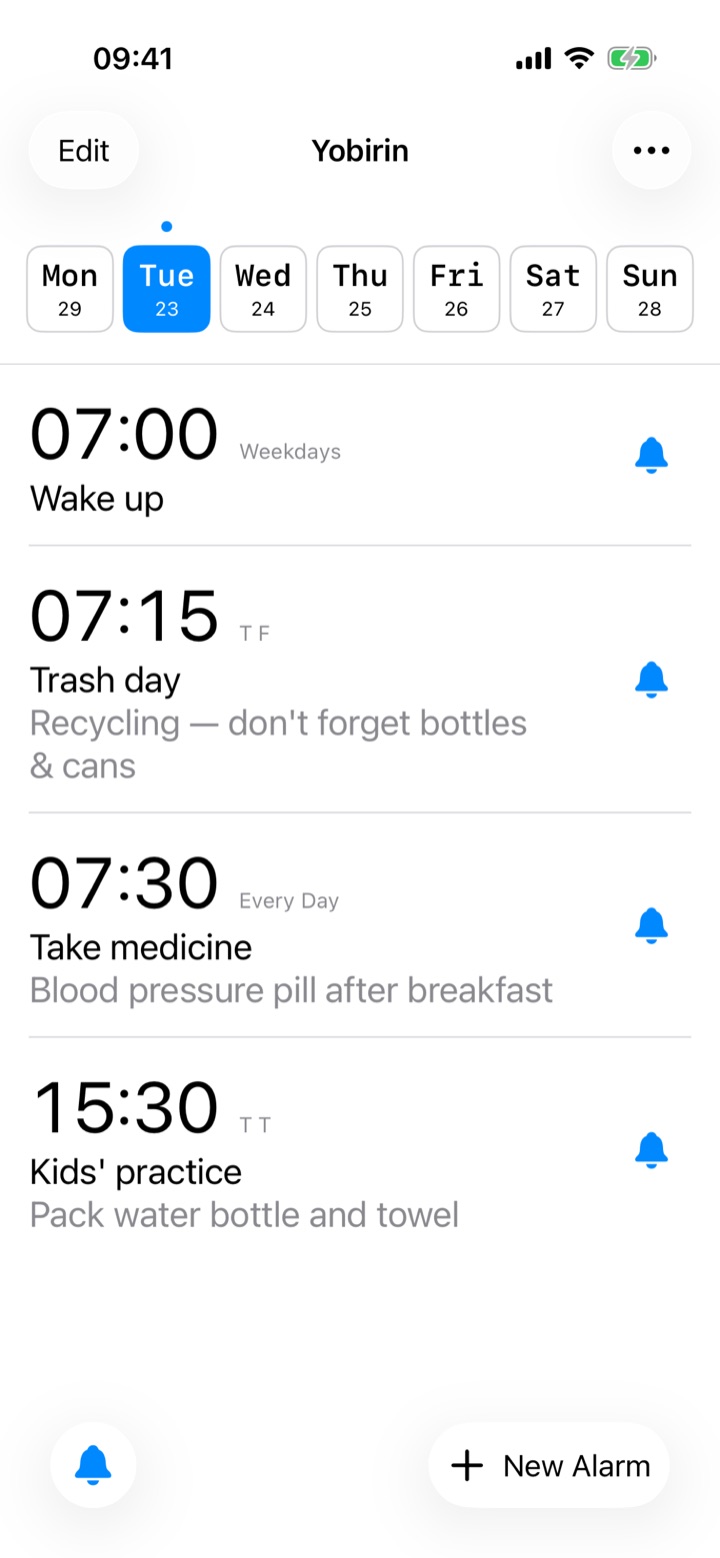
Save different times, sounds, and snooze settings for each day of the week. Set once, and it repeats every week automatically.
Choose which day starts your week to match your lifestyle.
See at a glance how close you are to the next alarm — visualise your day's progress.
Adjusting a single day is easy
Need to skip just this week's alarm? Easy. Skipped alarms automatically turn back on next week, so you'll never forget to re-enable them.
On a bank holiday or going on a trip? With one tap, skip or turn off all of today's alarms.
Not just for waking up
Show labels like "Pack lunch" or "Take meds" on your alarms. Notes are visible right from the alarm list.
Built on the same system as the iPhone's standard alarm, your alarms ring reliably even in the background.
Everything on Apple Watch
Check and control alarms right from your wrist — no need to take out your iPhone.
- See your next alarm and the full weekly list on Apple Watch
- Tap to cycle through "On → Skip → Off"
- Bulk actions like "Skip today" and "Turn all off" right from your wrist
- Real-time sync with iPhone keeps everything up to date
Add Yobirin to your watch face in various complication sizes.
- "Next Alarm" widget shows your upcoming alarm
- "Today's Alarms" widget lists today's schedule
Glance at your wrist to see your day.
Same system as the iPhone's built-in alarm — alarms ring on Apple Watch too. Even when your phone is in your bag, the wrist tap won't let you miss a thing.
Made for iPad
- A layout built for the larger screen, so your weekly alarm list has room to breathe
- Works in both portrait and landscape
- Supports Split View and Slide Over — keep your alarm list beside another app
- Add the same alarm widgets to your Home Screen as on iPhone
Your style, your data
Match the app's colour theme to your taste. Make the screen you see every morning feel like yours.
With iCloud enabled, your alarm data is automatically backed up.
Sign in with the same Apple ID on iPad or iPhone, and alarms sync across devices.
Reinstalling the app? Your data is restored from iCloud automatically.
Made for you if:
Good for
- You wake at 7 AM on weekdays but want silence at the weekend
- You want to remember weekly things like bin day or class supplies
- You work shifts and your wake-up time changes each day
- You want time-based reminders for daily tasks
- You have weekly commitments you can't afford to miss
- You want to see the day's tasks the moment you wake up
- The standard alarm app feels cluttered to manage
- You want to control alarms from your Apple Watch